

IndiaMART Lead Automation on WhatsApp: Reply to Every Buyer First
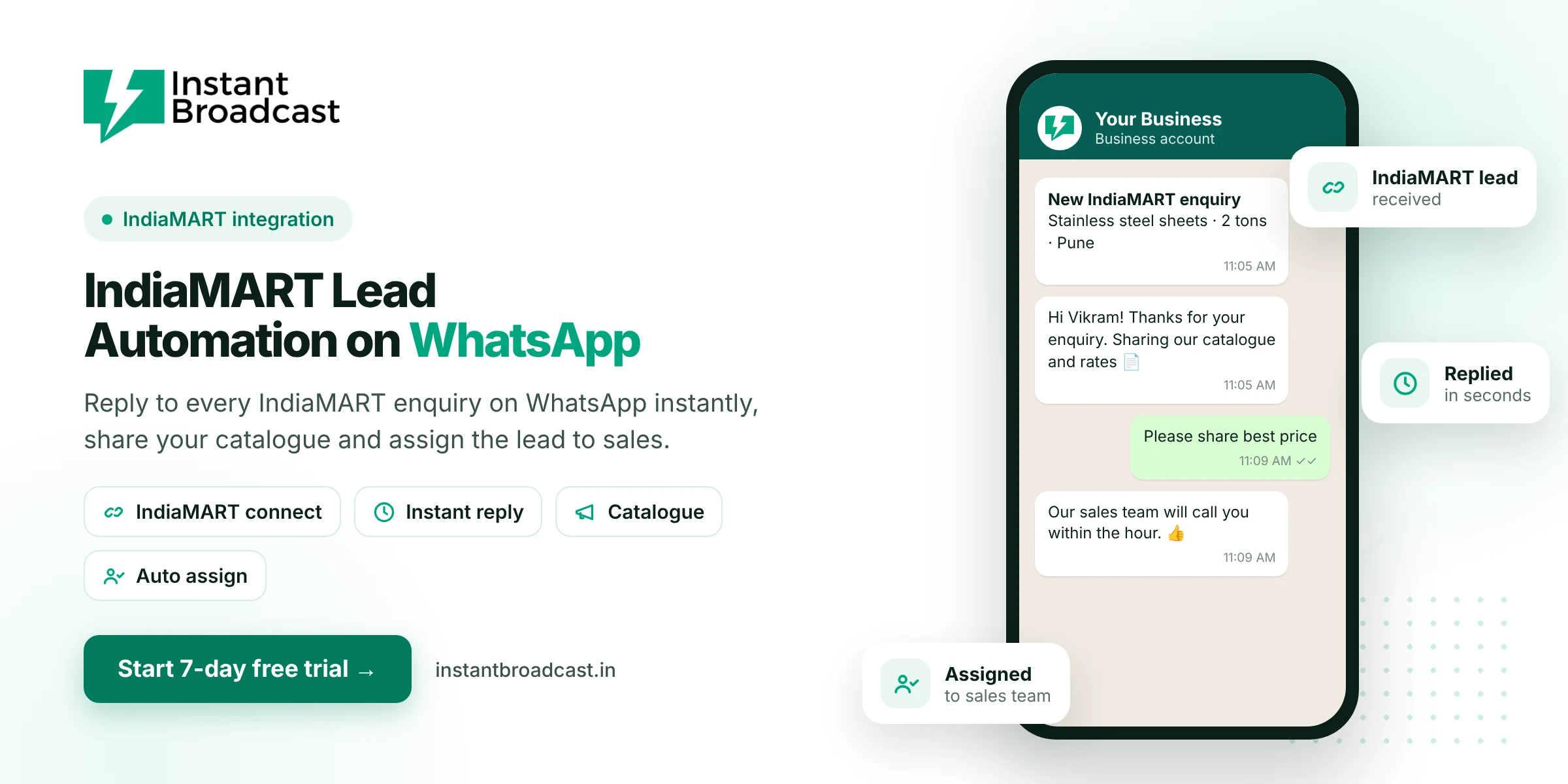
Instant Broadcast connects IndiaMART Lead Manager to the official WhatsApp Business API, so every new IndiaMART enquiry gets an instant WhatsApp reply with your catalogue or rate list and is assigned to a salesperson automatically. You reply first, look professional and never lose an enquiry in a notebook again. Try it free for 7 days.
Why IndiaMART Lead Automation on WhatsApp Wins More Orders
An IndiaMART buyer often sends the same enquiry to several suppliers at once. The supplier who replies first, with clear details, usually gets the conversation and often the order. But enquiries arrive while you're on the shop floor, in a meeting or asleep. Research published in Harvard Business Review found that businesses which contact leads within an hour are far more likely to qualify them than those that wait. Automation lets you reply within seconds, every time.
How the IndiaMART → WhatsApp flow works
- A buyer sends an enquiry on IndiaMART.
- The lead reaches Instant Broadcast through the IndiaMART Lead Manager integration.
- The buyer gets an instant WhatsApp message with a thank-you, your catalogue PDF or rate list, and quick-reply buttons.
- The lead is assigned to a salesperson by round-robin or by your rules.
- The salesperson continues the chat in the shared team inbox, sends a quote and tags the lead stage.
What you need
- A paid IndiaMART seller account with an active subscription, because IndiaMART's Lead Manager API is available to paid sellers.
- Lead Manager API access. In IndiaMART Lead Manager, go to Import/Export Leads to enable the integration (Push API or Pull API).
- Instant Broadcast with your WhatsApp business number connected to the official API.
- An approved welcome template for the first message to the buyer.
Our team helps you connect IndiaMART on a call.
Push API vs Pull API
| Push API | Pull API | |
|---|---|---|
| How leads arrive | IndiaMART sends each lead as soon as it comes in | Leads are fetched at regular intervals |
| Speed | Real time | Short delay between checks |
| Best for | Instant WhatsApp replies | Periodic syncing |
For the fastest reply to buyers, use the Push API.
Ideas for your first IndiaMART message
- Thank the buyer by name and mention the product they asked about.
- Attach your catalogue or rate list as a PDF.
- Add buttons such as "Get best price", "Call me" and "Send more details".
- Say when a salesperson will call, and make sure they do.
Beyond the first reply
- Tag every lead as New, Quoted, Negotiating, Won or Lost.
- Send follow-ups to buyers who went quiet.
- Broadcast new rate lists to past buyers who opted in.
- See it all in one inbox, together with TradeIndia, website and ad leads.
Also selling on TradeIndia? See TradeIndia lead notification on WhatsApp. To manage leads after the first reply, read WhatsApp lead management software.
Understanding IndiaMART lead types
Not every IndiaMART lead is the same, and your WhatsApp reply shouldn't be either. IndiaMART's Lead Manager labels each lead with a type. Here's how we'd treat the common ones:
| Lead type | What it means | Suggested WhatsApp action |
|---|---|---|
| Direct enquiry (W) | The buyer contacted you directly about your product | Instant reply with catalogue and a "Get best price" button; assign to sales |
| BuyLead (B) | A purchase requirement you chose to consume | Reply quickly with relevant product details; the buyer is comparing suppliers |
| Call lead (P) | The buyer called your IndiaMART number | Send a follow-up with the quote or details discussed, so the call doesn't go cold |
| WhatsApp lead (WA) | The buyer contacted you through WhatsApp on IndiaMART | Make sure the chat lands with the right salesperson |
| Catalogue view (BIZ) | The buyer viewed your catalogue | Treat as warmer interest; a gentle follow-up if you have their consent to message |
Use the lead details to route smarter
Each IndiaMART lead comes with useful fields: the buyer's name, mobile number, city and the product they asked about. Use them:
- Personalise the first message with the buyer's name and the exact product.
- Route by product line: send steel enquiries to one salesperson and pipes to another.
- Route by region: send Gujarat leads to your Surat team and Maharashtra leads to your Pune dealer.
- Tag the lead type and source, so you can see later which IndiaMART leads actually turn into orders.
A 3-message sequence that works for B2B sellers
- Instant (seconds after the enquiry): "Hi Vikram, thanks for your enquiry for stainless steel sheets on IndiaMART. Sharing our catalogue and current rates 📄 What quantity do you need, and for which city?" Buttons: Get best price · Call me
- Same day: your salesperson continues in the shared inbox with a quote based on the buyer's answers.
- Two to three days later, if there's no reply: one polite follow-up template: "Hi Vikram, just checking if you had a chance to look at our quote. Happy to adjust for your quantity."
What to measure
- Time to first reply: with automation, this should be under a minute
- Reply rate to your first WhatsApp message
- Quotes sent and orders won per lead type
- Revenue per IndiaMART lead, which helps you decide whether to upgrade your IndiaMART package
Managing leads beyond IndiaMART too? See how real estate teams handle portal leads on WhatsApp and how to automate WhatsApp messages for business.
Further reading: Harvard Business Review on how quickly online leads go cold and the WhatsApp Business Messaging Policy.
Frequently asked questions
Can I get IndiaMART leads on WhatsApp automatically?
Yes. Instant Broadcast integrates with IndiaMART Lead Manager, so new enquiries can trigger an instant WhatsApp reply and land in your team inbox.
Do I need a paid IndiaMART account?
Yes. IndiaMART's Lead Manager API is available to paid sellers with an active subscription.
Is the reply really instant?
With IndiaMART's Push API, leads arrive in real time and the WhatsApp reply goes out immediately. With the Pull API, there is a short delay between checks.
What should the first WhatsApp message contain?
Thank the buyer, mention the product, attach your catalogue or rate list and offer clear next steps with buttons.
Can IndiaMART leads be assigned to different salespeople?
Yes. Leads can be auto-assigned by round-robin or according to your rules, then handled in the shared inbox.
Can I send my catalogue automatically?
Yes. Your welcome template or chatbot can share a catalogue PDF, images or a link.
Does it work with TradeIndia too?
Yes. Instant Broadcast also integrates with TradeIndia.
Is there a free trial?
Yes. You can try Instant Broadcast free for 7 days.