Click to WhatsApp Ads: The 2026 Guide for Indian Businesses
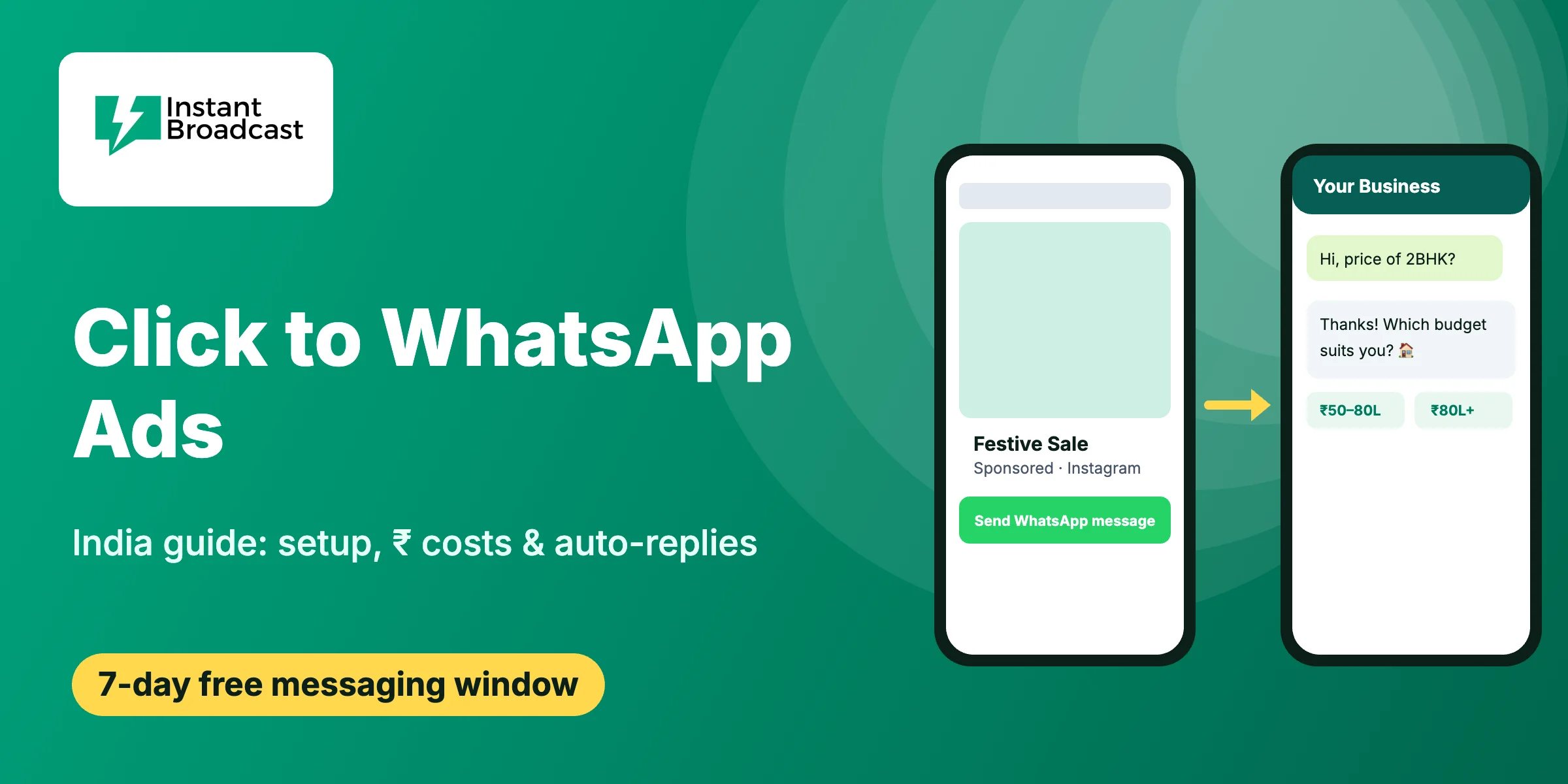
Quick answer: Click to WhatsApp ads are Facebook and Instagram ads with a "Send WhatsApp message" button. A tap opens a WhatsApp chat with your business instead of a website or form. If you reply within 24 hours, Meta now waives its messaging charges for up to 7 days in that chat, so every lead can be followed up at almost no messaging cost.
For Indian businesses, this is often the cheapest way to turn ad clicks into real conversations. Customers already live on WhatsApp. They don't fill forms, they don't wait for callbacks, and they reply faster in chat than on any landing page. This guide covers setup, real ₹ costs, the new free window and the automation that makes the ads pay.
What are Click to WhatsApp ads (CTWA)?
A Click to WhatsApp ad is a normal Meta ad with one difference: its destination is a WhatsApp chat. You create it in Meta Ads Manager, pick WhatsApp as the conversion location and connect your business number.
When someone taps the button, WhatsApp opens with a pre-filled message such as "Hi, I want to know the price of the 2BHK." They press send and the conversation begins. You get their name and phone number from the first message, with no form to drop off on.
CTWA ads can run on:
- Facebook Feed, Stories and Reels
- Instagram Feed, Stories, Reels and Explore
Why Indian businesses are moving budget to WhatsApp ads
- No form friction. A lead form asks for details; a chat just starts. Many Indian buyers would rather type "price?" than fill five fields.
- Real phone numbers. Every chat comes from a live WhatsApp number, so fake or mistyped leads drop sharply.
- Faster replies win. An IndiaMART or real estate buyer usually messages three or four sellers. The first useful reply wins the deal.
- Built-in follow-up. The lead stays in your WhatsApp inbox. You can send offers, reminders and order updates later through approved templates.
- Works in Hindi and regional languages. Your ad, pre-filled message and chatbot can all match the customer's language.
How the 7-day free entry point window works
This is the part most guides still get wrong. Until September 2026, a chat started from a CTWA ad gave businesses 72 hours of free messaging. From 28 September 2026, Meta extended this free entry point window to up to 7 days for eligible chats.
The rules, in plain words:
- The customer must start the chat by tapping your CTWA ad and sending the first message.
- You must reply within 24 hours. Miss that, and the free window never opens.
- The window starts when you reply, not when the customer messages.
- During the window, Meta does not charge for your messages, including marketing and utility templates.
- Free-form text still needs the normal 24-hour customer service window. After that, use approved templates.
- Chats from wa.me links, QR codes or website buttons don't qualify. Only ad clicks do.
- Seven days is a maximum. Meta is rolling it out gradually, and it applies to customers on the WhatsApp mobile app.
The waiver covers only Meta's per-message fees. Your ad spend and your platform subscription still apply.
How much do Click to WhatsApp ads cost in India?
Your total cost has three parts:
| Cost layer | Who charges it | What to expect in India |
|---|---|---|
| Ad spend | Meta (auction) | You set the budget. Many SMBs test with ₹500–₹1,500 a day. |
| Messages inside the free window | Meta | ₹0 for eligible CTWA chats, for up to 7 days after your reply |
| Messages after the window | Meta, billed through your provider | Instant Broadcast rate card: marketing ₹1.12, utility ₹0.15, authentication ₹0.15 per message |
| Platform | Your WhatsApp API provider | Monthly plan for inbox, chatbot and automation |
A worked example (illustrative numbers). A Surat saree seller spends ₹1,000 a day for 30 days: ₹30,000. Suppose the ads bring 600 chats, about ₹50 per conversation. The chatbot qualifies 180 as serious buyers, so each qualified lead costs about ₹167. Follow-up offers sent inside the 7-day window cost nothing in Meta fees. If 300 of those buyers later get one marketing template after the window, that adds about ₹336.
Your real cost per chat will depend on city, industry, creative and season. Track cost per qualified lead and cost per sale, not cost per click. For the full message rate card, see our WhatsApp Business API pricing India guide, and for what Meta gives you at no cost, read is WhatsApp Business API free?
How to set up Click to WhatsApp ads in Meta Ads Manager
- Connect your number. Link your WhatsApp Business number to your Facebook Page in Meta Business Settings. For automation and a shared inbox, use the WhatsApp Business API through a provider like Instant Broadcast.
- Create a campaign. In Ads Manager choose Engagement, Leads or Sales as the objective.
- Pick WhatsApp as the conversion location at ad set level and select your number.
- Set audience and budget. Start broad within your delivery cities. Let Meta learn for 5–7 days before you judge.
- Write the pre-filled message. Make it specific: "Hi, send me the price list for wholesale kurtis." It tells your chatbot what the customer wants.
- Design the creative. Show the product, the price or offer, and one line telling people to tap and chat.
- Add the welcome flow. Set an automated first reply so nobody waits. This is where the ad either pays or doesn't.
- Publish and track. Tag every ad chat in your inbox so you can see which ad brought which sale.
WhatsApp Business App vs WhatsApp Business API for CTWA ads
| WhatsApp Business App | WhatsApp Business API (Instant Broadcast) | |
|---|---|---|
| Run CTWA ads | Yes | Yes |
| Auto-reply within seconds | Basic greeting only | No-code flow-builder chatbot (AI chatbot available as an add-on) |
| Team members on one number | Limited linked devices | Shared team inbox for many agents |
| Tag leads by ad and campaign | Manual labels | Tags and contact fields |
| Bulk follow-up templates | Broadcast lists of 256 saved contacts | Broadcasts to opted-in contacts at scale |
| Integrations | None | Shopify, Google Sheets, IndiaMART and more |
If you get more than a handful of ad chats a day, the app becomes the bottleneck. More detail in our API vs App comparison.
What to automate in the first 60 seconds
The ad buys you a chat. The first reply decides whether it becomes a lead. A good flow:
- Instant welcome that repeats what they asked: "Thanks for asking about our 2BHK in Wakad!"
- Two quick buttons to qualify: budget range, city, product or preferred time.
- Send the asset they wanted: price list PDF, catalogue, brochure or demo video.
- Hand over to a person in the shared team inbox when the lead is hot.
- Follow up inside the free window: a reminder on day 2 and an offer on day 5.
See ready-made flows in our WhatsApp chatbot for lead generation guide.
Industry examples from India
- Real estate (Pune, Ahmedabad): ad shows the floor plan; the bot asks budget and visit date, then books a site visit. More in WhatsApp marketing for real estate leads.
- Coaching institutes (Kota, Delhi): ad offers a free demo class; the bot asks course and batch time and sends the fee structure.
- D2C and Shopify brands: ad shows a bestseller; the bot sends the product link and a first-order code.
- Clinics and salons: ad promotes a check-up or festive package; the bot shares slots and confirms the booking.
- Wholesalers and IndiaMART sellers: ad invites retailers to request a catalogue; the bot captures GST, city and quantity.
Five mistakes that waste CTWA budget
- Running ads when nobody, human or bot, replies within minutes.
- A vague pre-filled message like "Hi" that tells you nothing.
- Judging ads by cost per chat instead of cost per qualified lead.
- No follow-up after the first day, so the free window is wasted.
- Sending ad leads to a personal phone, where chats get lost.
Start your Click to WhatsApp ads with Instant Broadcast
Instant Broadcast runs on Meta's official WhatsApp Cloud API and is built for Indian businesses. Connect your number, build a no-code welcome flow, add the AI chatbot if you need it, and track every ad lead in one team inbox.
Start your 7-day free trial → and have your first CTWA welcome flow live today.
FAQs
1. What are Click to WhatsApp ads?
They are Facebook and Instagram ads with a "Send WhatsApp message" button. Tapping it opens a WhatsApp chat with your business, with a pre-filled message, instead of a website or lead form.
2. How much do Click to WhatsApp ads cost in India?
You pay Meta for ad spend through its auction, and many Indian SMBs test with ₹500–₹1,500 a day. Messages inside the free entry point window cost nothing in Meta fees. After it, Instant Broadcast charges ₹1.12 per marketing and ₹0.15 per utility message.
3. Is the free window for CTWA ads 72 hours or 7 days?
From 28 September 2026, Meta extended it to up to 7 days for eligible chats, rolled out gradually. You must reply within 24 hours of the customer's first message, and the window starts from your reply.
4. Do I need the WhatsApp Business API to run Click to WhatsApp ads?
No, the WhatsApp Business App can run them too. The API is better when you need instant automated replies, several agents on one number, lead tagging and integrations with tools like Shopify or Google Sheets.
5. Can I send free-form messages during the 7-day window?
Only while the 24-hour customer service window is open, which restarts each time the customer messages you. Outside it, send approved templates; those are still free of Meta fees inside the free entry point window.
6. Do wa.me links and QR codes get the free window?
No. Only chats that start from a Click to WhatsApp ad on Facebook or Instagram qualify. Chats from wa.me links, QR codes and website chat buttons are priced normally.
7. Which businesses get the best results from CTWA ads?
Businesses where buyers like to ask before buying: real estate, coaching institutes, clinics, salons, D2C brands, wholesalers and IndiaMART sellers. Results depend most on how fast and how well you reply.
8. How do I automate replies to Click to WhatsApp ad leads?
Connect your number to Instant Broadcast, build a no-code welcome flow with qualifying buttons, add the AI chatbot add-on for open questions and route hot leads to your team inbox. You can try it with the 7-day free trial.